
Payment links: the complete guide for your store
How to create a payment link from your panel, what the payer sees (card, or Zelle from $200), how to forward it to whoever actually pays, and how to refund, cancel or revive it.
In one line
A payment link is a payment page with your reference and your amount. You send it by email or WhatsApp to whoever will pay —your customer or their relative in the United States— and when they pay, the charge shows as paid in your panel.
Where it lives
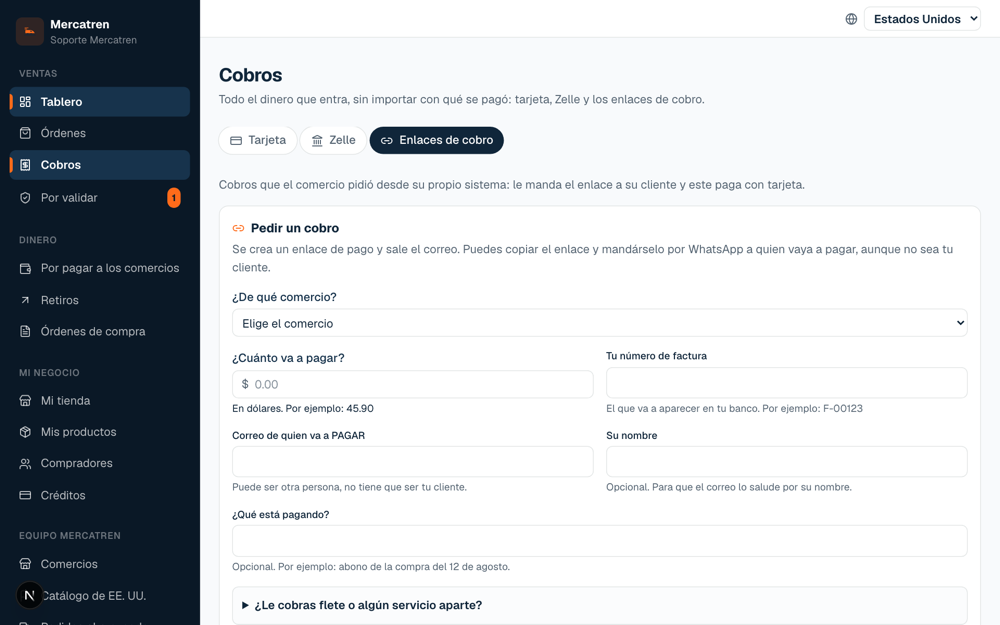
In your panel: Sales → Payments → the “Payment links” tab. There you find the form to create one and the list of the ones you already created, with their status.
How to create one, step by step
- 1
Amount
What the goods cost, in dollars, with decimals (45.90).
- 2
Reference
YOUR invoice number. It is what shows up in reconciliation and on the payer's statement.
- 3
Payer's email
Your customer, or the person paying on their behalf. The link goes to that email.
- 4
Freight and handling (optional)
Two separate lines, each with its own explanation: transport, and handling (loading, carrying upstairs, packaging). That way the invoice never says the goods cost more than they did.
- 5
Days valid
Seven by default, up to fifteen. If it expires, you revive it with the same reference and the same link.
- 6
Create
The email goes out by itself. You also see the link on screen to copy it and send it by WhatsApp.
What the payer sees
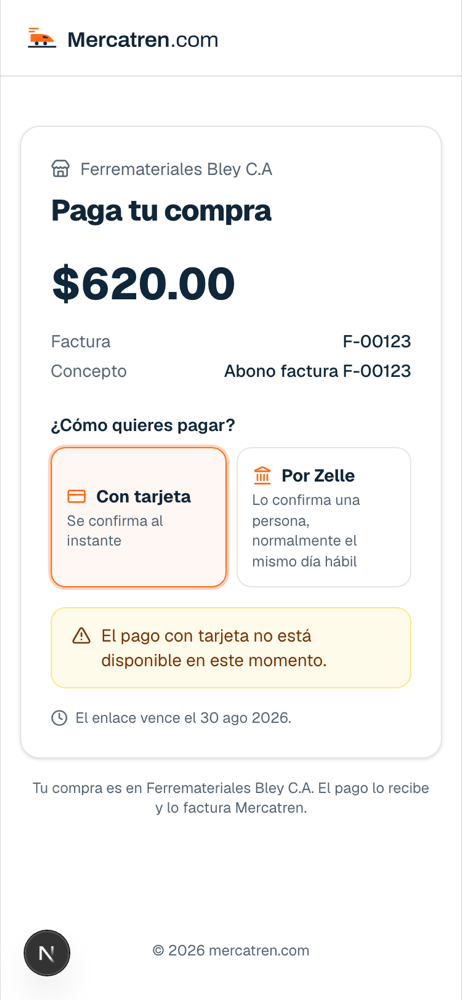
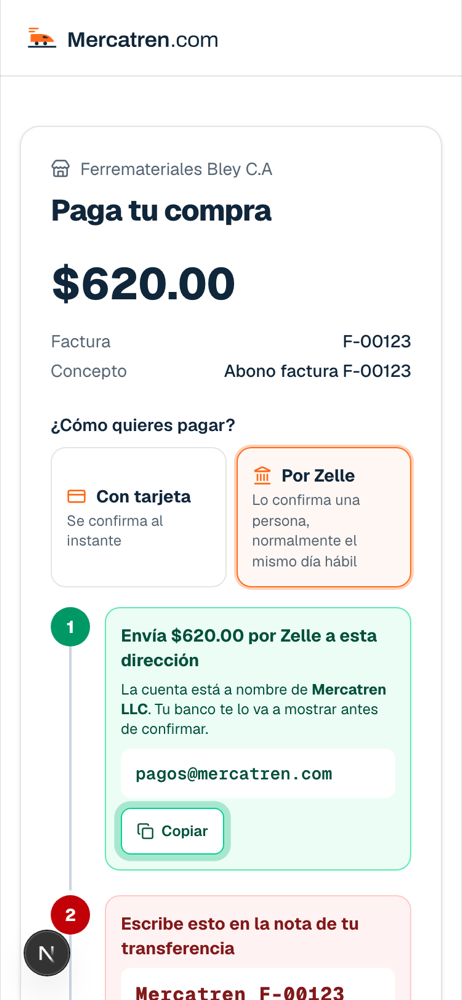
A page with the breakdown (goods, freight, handling), your name and two ways to pay: card, or Zelle when the amount is $200 or more. With Zelle they are asked to write the reconciliation number in the transfer note: that number justifies the money leaving their account and arriving in ours.
Forward, refund, cancel, revive
- Forward: the “Resend” button sends the same link again, with the same reference. No second charge is created.
- Refund: only card payments, from the charge's menu, with a mandatory reason. A Zelle payment cannot be reversed: it is returned with a new transfer made by a person.
- Cancel: an open or expired link is switched off and can no longer be paid. A paid one cannot be cancelled.
- Revive: an expired link is reactivated keeping reference and link; the email you already sent works again.
Does your system issue the invoices?
It can create the links on its own, without touching the panel: the partner API takes amount, reference and email and returns the link. It is described in the OpenAPI spec and in the developer guide.