
Payment links with zero coding: forward them to whoever pays, by card or Zelle
From your panel you create a payment link with your invoice number, send it by WhatsApp or email to whoever is paying — even if they're in Miami — and the payment comes in. With freight and handling as separate lines if you need them.
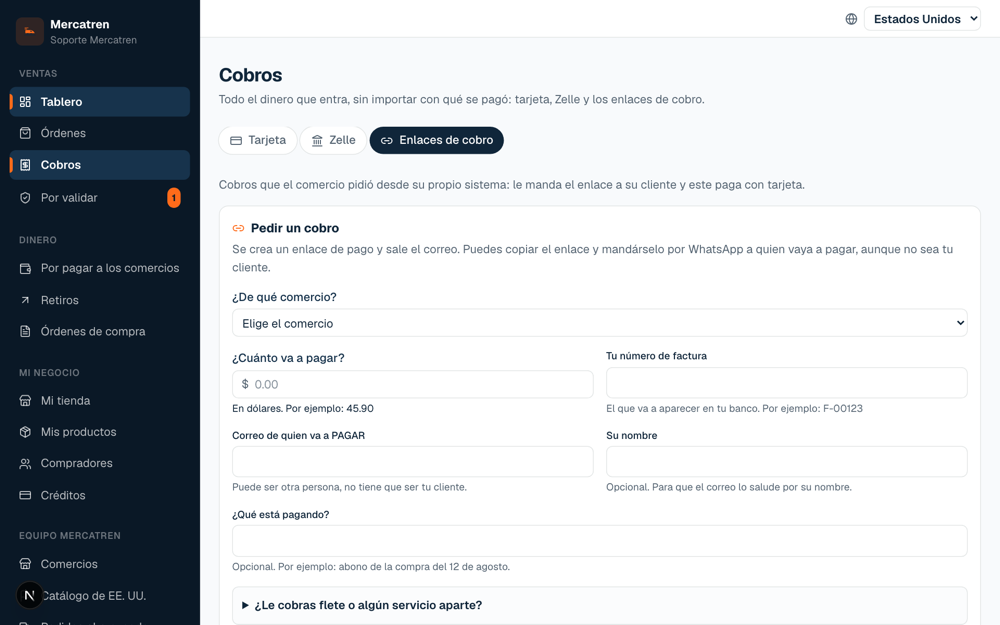
The most common case of all: someone buys at your counter and the one putting down the card is their son in the United States. Until now, payment links were only available to the store that had connected them to its own system. Now every store has them, from the panel, under “Payments → Payment links”.
- 1
Enter the amount and your invoice number
That number is what later shows up in your bank and in the payer's; it is what reconciles the books.
- 2
Enter the email of whoever is PAYING
It doesn't have to be your customer. The email with the link goes out, and you can also copy the link and send it by WhatsApp.
- 3
If you charge freight or any extra service, add it
They go on separate lines — “Freight and transportation”, “Handling and additional services” — each with its explanation, and the payer sees them itemized.
- 4
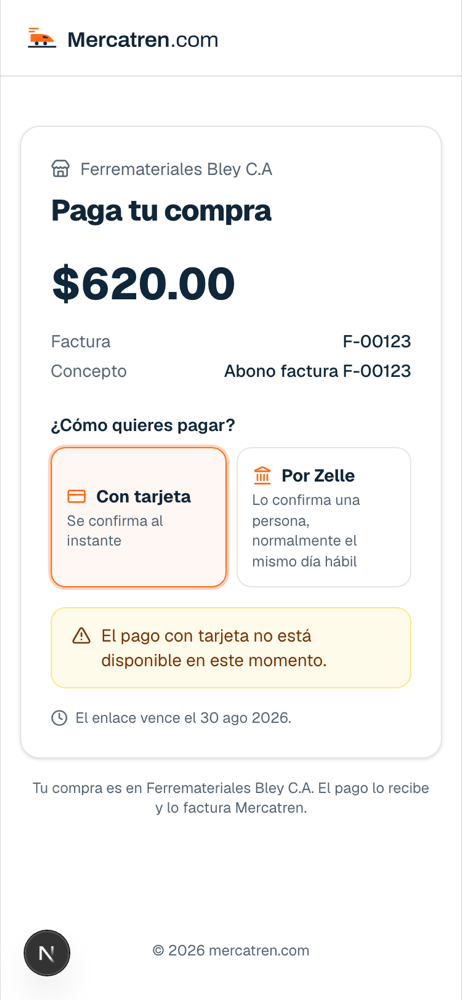
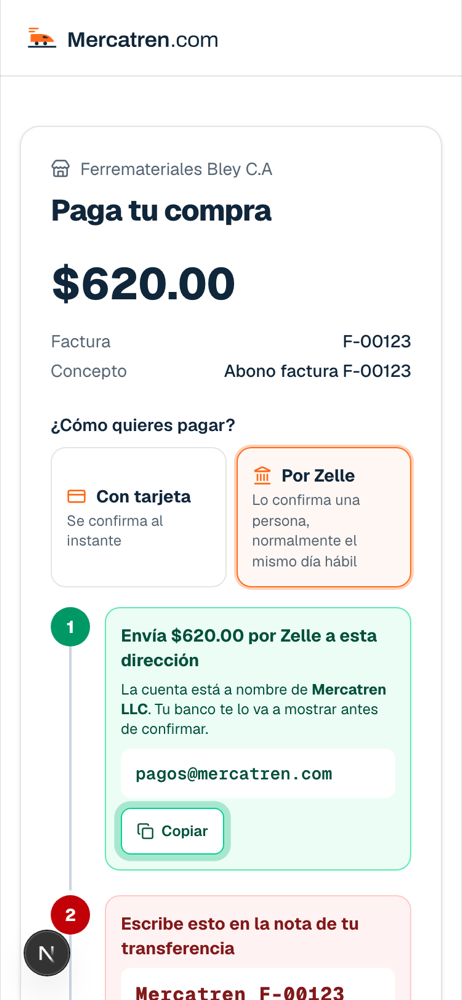
The payer chooses card or Zelle
Zelle is offered from $200 and is guided step by step, with the account in the name of Mercatren LLC and the number they must write in the memo.
And what happens next
- If the link expires, you reactivate it with the same number and the same link: the email you already sent works again.
- If you got the amount or the customer wrong, you cancel it. A paid one can't be canceled: if money has to go back, the refund button is right there.
- If someone reopens a link that was already paid, the page says so: “this invoice is already paid”, with the date and method.
- If your business has its own system, all of this can be done from it too: there is a documented API.